 Web
technologies are moving so fast that it is becoming a tough job for
businesses as well as developers to keep up the pace. New tools pop up
every year letting the old ones go sideways. Frontend development is a
major part of the web and has grown multifold in the past years.
Businesses are focusing more on front-end development to enhance user
interaction, site efficiency, interactivity and look & feel. After a
thorough research at ValueCoders, we shortlisted top 15 front-end development tools. Let’s start with the first one.
Web
technologies are moving so fast that it is becoming a tough job for
businesses as well as developers to keep up the pace. New tools pop up
every year letting the old ones go sideways. Frontend development is a
major part of the web and has grown multifold in the past years.
Businesses are focusing more on front-end development to enhance user
interaction, site efficiency, interactivity and look & feel. After a
thorough research at ValueCoders, we shortlisted top 15 front-end development tools. Let’s start with the first one.Top 15 Front-end Development Tools
1) Vue.js Front-end Development Tools
Vue.js is a JavaScript library for building web interfaces. Combining with some other tools It also becomes a “framework”. Presently it has 84,364 Github stars and left many other top front-end development tools behind. It was first released in 2013. In last 4-5 years, the progress is significant. The greatest benefit of Vue is its absence of pedigree. It is fresh and has little baggage. It has been learning from the mistakes and successes of React & Angular. The way we see it, Vue is lightweight & easy to learn. Hence, getting Vue.js developers on board can be a good solution.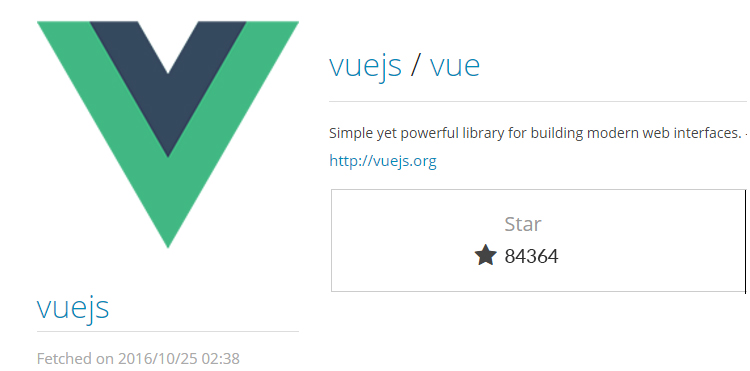
Read More: Vue.js Is Good, But Is It Better Than Angular Or React?
2) Angular Front-end Development Tools
Being a Google product, Angular is counted one of the top front-end development tools for years. With the rapid release of its versions Angular is now much improved and an established name in the web industry. In late 2017, Angular released its 5th version and Angular 6 is expected to launch March 2018. It has 580404 stars on Github with a large developer community to provide support. Hence, getting Angular js developers on board can be a good solution.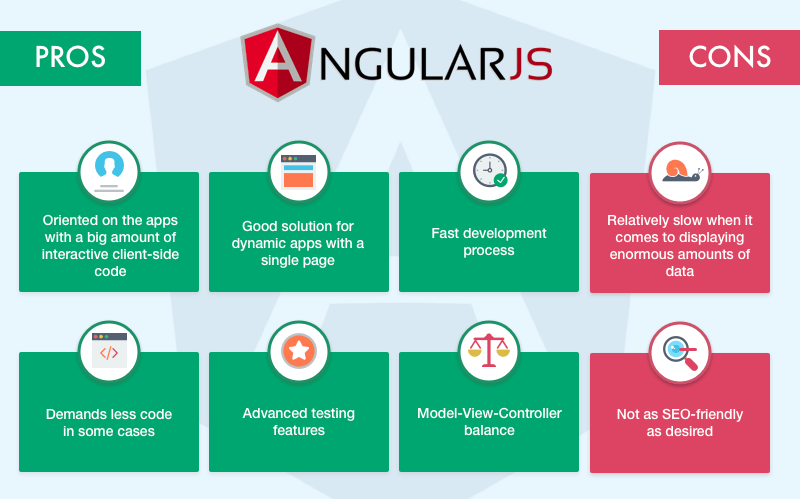
Read More: Top 20 latest Angular JS Developer Tools
3) Chrome Developer Tools Front-end Development Tools
It is one of the top front-end development tools when it comes to hands-on debugging. You are going to run into many issues when building a new feature, adding a new page or fixing an existing issue. The Chrome Developer Tools are a set of debugging tools built into Chrome. These tools allow you to do a wide variety of development testing in your browser, which saves a ton of development time.
Using the ‘Device mode’ you can test how responsive the website will be. ‘Sources panel’ is used to debug your JavaScript using breakpoints. ‘Timeline’ helps you identify run-time performance issues.
Want to build an amazing website? We are an IT outsourcing company offering experienced front-end developers for startups and SMEs. CONTACT US TODAY!!
4) Ionic 2
Yes, here we are talking about top front-end development tools and not mobile. However, many do not know that Ionic 2 is not only meant for cross-platform mobile apps development, it is a great tool for front-end development too. Ionic 2 can build native and web optimized apps. Here are a few advantages of this tool-
– Free and open source
– Good community support including on Slack and StackOverflow
– One code base for all platforms
– High availability of plugins
– Push notifications built-in
– Coded in Angular
Read More: Xamarin or Ionic, which one to choose?

5) Npm Top front-end development tools
Npm is Node package manager for JavaScript. It helps to discover packages of reusable code and assemble them in powerful new ways. This is one of the most used front-end development tools used as a command-line utility for interacting with a said repository that aids in the package. NPM has 15448 stars on github and has many worthy features to go for.
– Discover and reuse over 470,000 free code packages in the Registry
– Encourage code discovery and reuse within teams
– Publish and control access to namespace
– Manage public and private code using the same workflow
6) TypeScript

TypeScript is an open-source front-end scripting language. It is a strict syntactical superset of JavaScript which adds optional static typing. It is specially designed for development of large applications and compiles to JavaScript. With 31296 tools, Typescript is a very popular front-end development tool for you.
Here are some salient features:
– TypeScript supports other JS libraries
– It is possible to use this Typescript on any environment that JavaScript runs on
– It supports definition files that can contain type information of existing JavaScript libraries, such as C/C++ header files
– It is portable across browsers, devices, and operating systems
– It can run on any environment that JavaScript runs on
7) Grid Guide
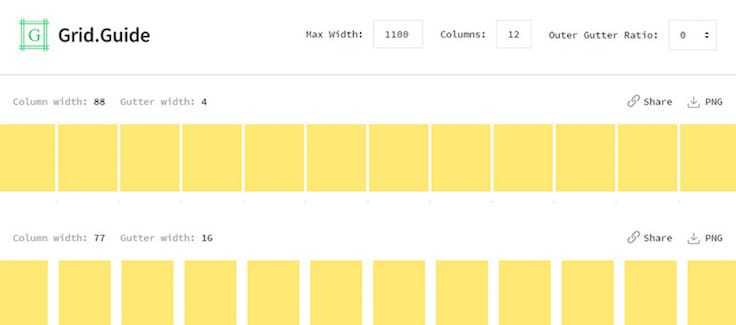
Grid guide is one of the top front-end development tools. It allows creating pixel-perfect grids within designs. It is a simple tool that can unlock very valuable workflows.
Some salient features:
– Add guides based on the canvas, artboards, and selected layers
– Quickly add guides to edges and midpoints
– Allows to create duplicate guides to other artboards and documents
– Helps users to create custom grids

8) Grunt

Grunt is one of the top front-end development tools when it comes to task automation. It’s a JavaScript task runner, offering both a lot of bundled plugins for common tasks, while still being very extensible, giving you the option to write all kinds of tasks that suit your need. The best comes when you can combine tasks together to create even more powerful ones!
Grunt’s scope goes beyond simply automating front-end related tasks. It has 11730 stars till date and very useful tool allover.
9) Meteor
Meteor is a full-stack JavaScript framework. It is made up of a collection of libraries and packages which makes it one of the top front-end development tools. It has been built on concepts from other frameworks and libraries to makes it easy to prototype applications. It has 39265 stars on Github.
Here are a few features:
– It makes developing applications efficient
– It comes with several built-in features that contain frontend libraries and NODE js based server
– It speeds up development time significantly on any project
– Meteor offers MongoDB database and Minimongo, which is written entirely in JavaScript
– Live reloading feature allows refreshing only the required DOM elements
Related post: Firebase Vs Meteor
10) Git Extensions
Utilizing version control is a must have for projects of any size now. They are easy to set up and will save you headaches when your developer finds out you both have been working on the same file. While learning the command line is still recommended since at the very least you will gain an understanding of what happens under the hood, using one for day to day development can take valuable time. Especially if you make an accidental commit to the wrong branch.
Git Extensions, which is a graphical user interface for Git, not only does it allow you to control Git without using the CLI, but you can view the commit history in a graph structure, view the history of files, use a rebase workflow, and much more. That makes it one of the top front-end development tools.
11) Sass

Sometimes you need a tool that will help you write maintainable, future-proof code, all while reducing the amount of CSS you have to write (keeping it DRY).
Sass, one of the most popular front-end development tools in this category is a nine-year-old open-source project which pretty much defined the genre of modern CSS preprocessors. Although a little tricky to get to grips with initially, Sass’s combination of variables, nesting, and mixins will render simple CSS when compiled, meaning your stylesheets will be more readable and (most importantly) DRY.
12) Sublime Text
Sublime Text is a proprietary cross-platform source code editor. This is one of those front-end development tools which can natively support many programming languages and markup languages.
Features:
Command palette feature allows matching keyboard invocation of arbitrary commands
Simultaneous editing allows making the same interactive changes to multiple areas
Offers Python-based plugin API
Allows developers to give project specific preferences
Compatible with many language grammars from TextMate
Want to build your own app? We are an IT outsourcing company offering experienced front-end developers for startups and SMEs. CONTACT US TODAY!!
13) Backbone

Backbone.js gives structure to web applications by offering models with key-value binding and custom events. It has 27006 stars on Github. Let’s see what this front-end development tool has to offer-
Features:
– Backbone.js allows building one-page applications
– Backbone.js has a simple library used to separate business and user interface logic
– This tool makes code simple, systematic and organized. It acts as a backbone for any project
– It manages the data model which also includes the user data and display that data on server side
– It allows you to create client-side web applications or mobile applications
14) CodePen

CodePen is a web development environment for front-end designers and developers. It is all about faster and smoother development. It allows to build, deploy website and build test cases. It is considered to be one of the top front-end development tools when it comes to better coding environment. Let’s see the specific offering:
Features:
– Codepen offers to build components to use elsewhere later
– It includes some interesting features to write CSS faster.
– Allows live view and live sync
– Prefill API feature allows adding links and demo pages without need to code anything

15) Foundation

Foundation is front-end framework for any device, medium, and accessibility. This responsive front-end framework makes it easy to design responsive websites, apps, and emails.
Features:
– It offers the cleanest markup without sacrificing the utility and speed of Foundation
– Possible to customize the build to include or remove certain elements. As it defines the size of columns, colors, font size.
– Faster development and page load speed
– Foundation is optimized truly for mobile devices
– Customizability for developers of all levels
– It takes responsive design to the next level, with the much-needed medium grid accommodating for tablets
0 comments:
Post a Comment